
GIFs and screenshots
On a plain Emacs installation, you should see something like:
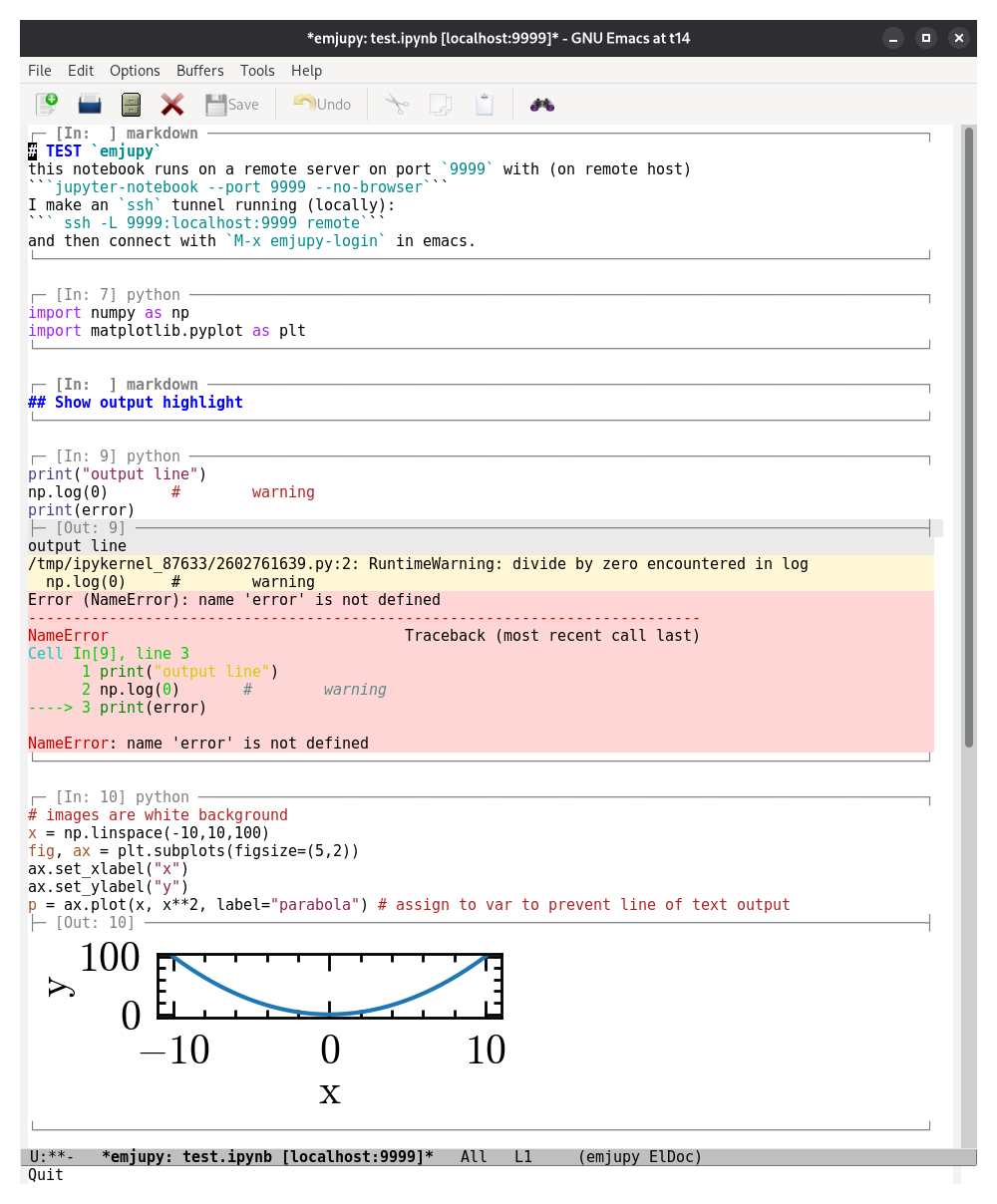
This is what the same notebook looks like with wombat theme in my
setup:
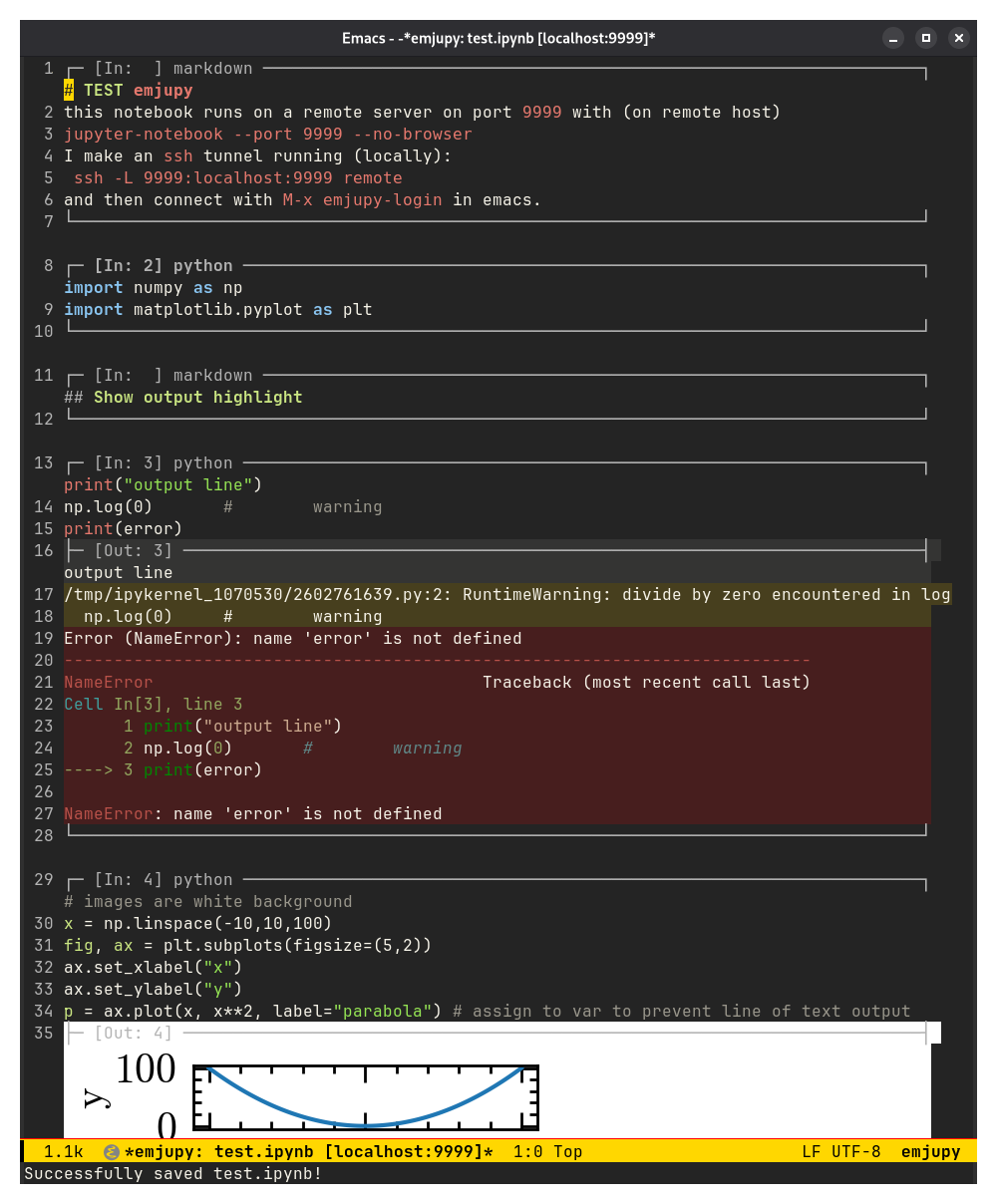
wombat dark theme).Plotly figures and interactive plots with sliders can open in an external window or browser (see Interactive output):
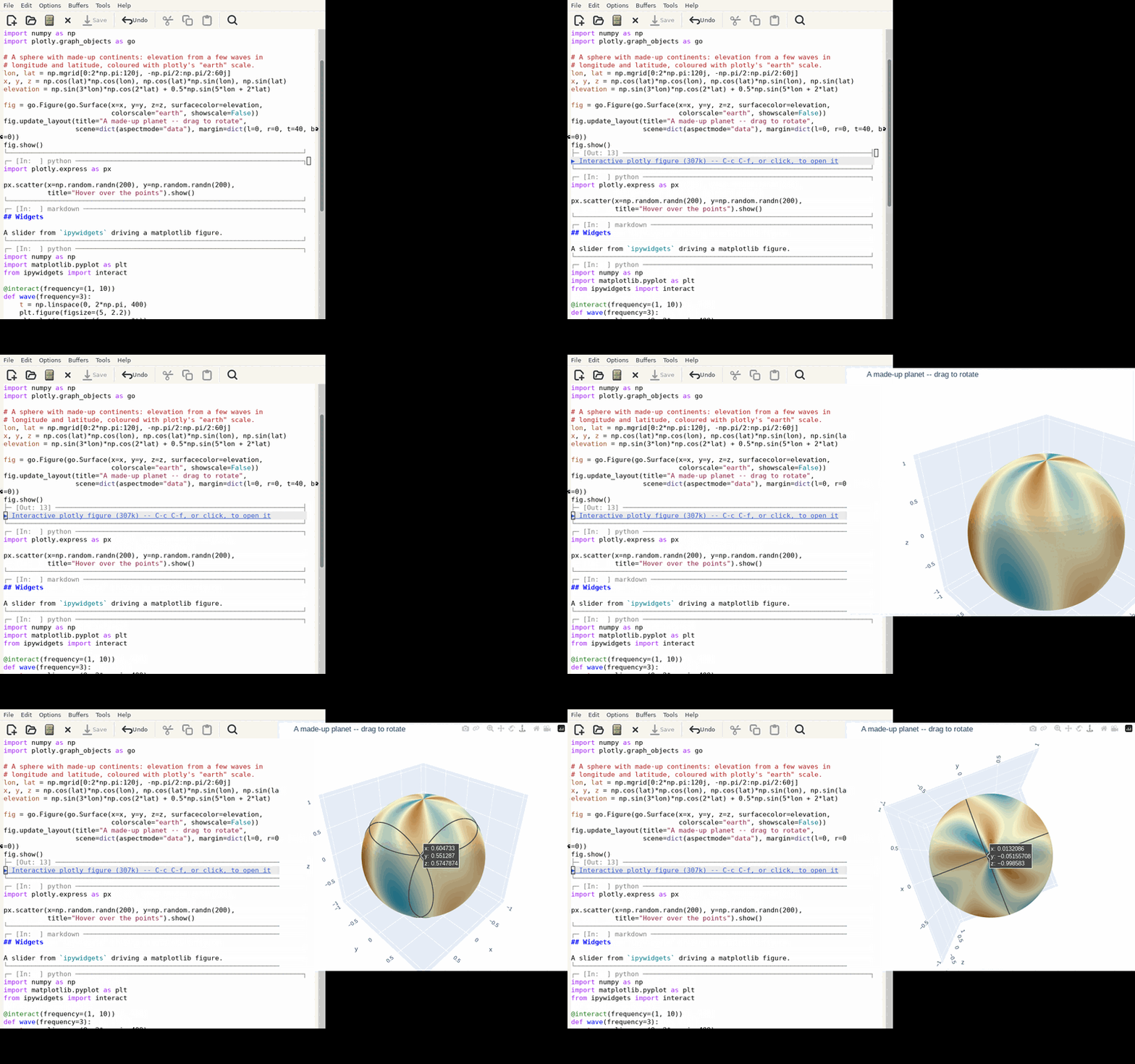
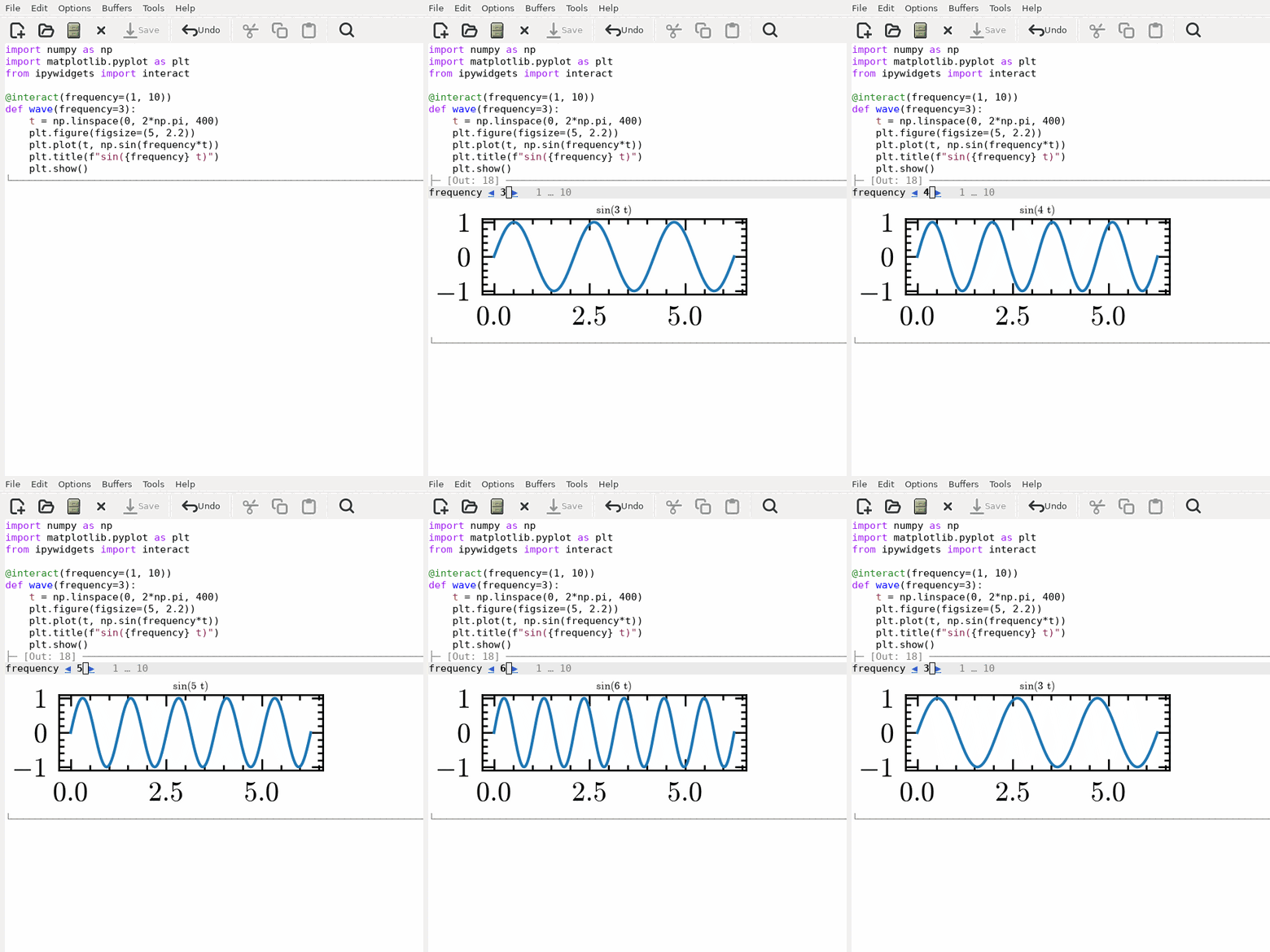
N.B.: Screenshots may be out of date.
Cell appearance
Cells are marked out by their horizontal rules alone – the buffer keeps its normal background throughout. The one exception is a cell's output, which gets a faint background band so results are distinguishable from the code that produced them. The band lives on the output overlay, so when the outputs are cleared and the box shrinks the background goes with them.
emjupy-output-color sets that band. It defaults to 'auto, which
blends the buffer background emjupy-output-blend (8%) of the way
toward the foreground: darker on a light theme, lighter on a dark one,
and tinted by the theme rather than a flat neutral grey. Theme switches
are followed automatically.
(setq emjupy-output-color "#f0f0f0")   ;; pin a colour
(setq emjupy-output-color nil)         ;; no band at all
The band fills each output line edge to edge – the emjupy-output face
sets :extend t, without which a face's background stops at the last
character and short lines look ragged beside long ones.
M-x emjupy-refresh-appearance re-derives the colour and redraws. The
faces are emjupy-output (the band) and emjupy-box-line (the rules).
Editing a rendered formula
A rendered fragment is an image displayed over its source text. The source remains in the buffer and remains editable, but is not visible while the image is displayed.
DEL with point at the end of a rendered fragment removes the image and
leaves point after the last character of the source. A second DEL
deletes as usual. M-x emjupy-toggle-latex-preview renders it again.
Scrolling past figures
A tall inline image occupies a single screen line, so line-based scrolling passes over it in one step. Two options:
(pixel-scroll-precision-mode 1) ; built in, Emacs 29 and later
or the ultra-scroll package, which handles tall images and mixed line
heights more smoothly and is recommended for notebooks containing
figures:
(use-package ultra-scroll
  :config (ultra-scroll-mode 1))
emjupy enables neither: both are global and affect every buffer.
Inspecting the cell outlines
The rule above an output box is an overlay string rather than buffer
text, so point cannot be placed in it and M-x describe-char cannot be
used on its columns. M-x emjupy-report-box-geometry reports the width
the rules are drawn at, the width of the rule in place, and the column
the output background is aligned to.
Cell outlines
The rule that outlines each cell is sized by emjupy-box-width. The
default, 'window, fits it to the window, so the outline spans a wide
frame instead of stopping short at a fixed 80 columns. Set it to an
integer for a fixed width, and emjupy-box-min-width is the floor when
fitting.
Outlines follow the window as it changes: splitting, dragging a mode
line or toggling full screen all redraw the rules at the new width, so
they do not wrap onto a second line – unless the window is narrower than
emjupy-box-min-width, 60 columns by default, which the rules do not go
below. Only the overlay strings are
rebuilt, not the buffer text, so point, markers and the undo history
are untouched. When the buffer is shown in two windows at once the
narrower one wins, since a rule sized for the wide window would wrap
in the narrow one.
Cell outline artifacts
A cell outline is drawn by an overlay property that is displayed even when the overlay has collapsed to zero width. An overlay belonging to a cell that no longer exists therefore appears as a border with no cell.
A redraw of the whole notebook deletes emjupy overlays that no live cell
owns, so M-x emjupy-re-render removes any that appear.
Line numbers
With display-line-numbers-mode on, the numbers fall on the lines you
write and on the lines of output, not on the outlines: each rule is drawn
as a continuation of the line above it, and the empty line between two
cells is hidden. The numbers are the buffer's own, so they skip a value
where a cell ends. The rules narrow to make room for the number column
when it is turned on.
Two rules are exceptions: the first cell's header, which has no line above it, takes line 1's number, and the last cell's footer is drawn on a numbered line at the end of the buffer.
LaTeX in markdown cells
Off by default. Turn it on with M-x emjupy-toggle-latex-preview, or:
(setq emjupy-render-latex t)
Math between $...$, $$...$$, \\(...\\) and \\[...\\] is then replaced
on screen by a rendered image – inline for the first and third,
displayed for the other two, as in a LaTeX document. The buffer text is untouched – the
image is an overlay – so the cell still holds, and saves, the LaTeX you
wrote, and hovering shows the source.
The rendering is done by org, which ships with Emacs, so the only requirement is a LaTeX installation:
sudo apt install texlive-latex-base dvipng
No extra Emacs package is needed. math-preview is used instead if that
is what you have installed – it works well, but it wants nodejs and npm
on top of everything else, which is why it is not the default. Choose
explicitly with emjupy-latex-backend.
Formulae are drawn in the theme's foreground colour on a transparent
background, so they are dark on a light theme and light on a dark one.
Set emjupy-latex-foreground to a colour to override that, and
emjupy-latex-scale to size them.
Images are cached by content and colour, so redrawing a notebook full
of formulae does not re-run LaTeX, and switching theme regenerates
them rather than serving back black glyphs on a dark background.
emjupy uses a minimal preamble (amsmath and amssymb) rather than org's
full default package list, which pulls in packages a small TeX install
does not have.
Inline images need a graphical Emacs
Images are only drawn when the running Emacs can actually display them
(display-graphic-p and image-type-available-p). On a terminal
frame or an image-less build (emacs-nox is the common case),
create-image signals rather than degrading, and rendering happens
inside the WebSocket callback, where an error would leave the output box
blank. So emjupy asks first, and shows the output's own text/plain
form with a short note saying why there is no picture.
Supported inline types: image/png, image/jpeg, image/gif and
image/svg+xml.
Duplicate figures
A cell whose last expression is a figure can receive the picture twice
from the kernel: once as the execute_result repr and again as the
inline backend's display_data. emjupy draws a repeated picture once
– a repeat meaning the same bytes, since two renders at different sizes
are two pictures – and drops it at render time only: the cell's
outputs, and the .ipynb written back, still contain exactly what the
kernel sent, keeping the file faithful for other clients. Set
emjupy-deduplicate-image-outputs to nil to draw both.